The Problem with Scattered PDF Files
You have just finished a project. The report is in one PDF, the annexures are in another, the cover page is a third file and the signature page is a fourth. Your client, professor or manager needs one single document — but all you have is a pile of separate PDFs.
Or maybe you scanned a multi-page form and each page saved as its own file. Or you received three different policy documents that need to be submitted as a single PDF on a government portal. The need to merge PDFs comes up constantly — in offices, colleges, banks, hospitals and government applications across India and worldwide.
The solution sounds simple — search for an online PDF merger. But here is where most people run into a risk they never think about.
When you upload files to a typical online PDF merger, all your PDFs travel to a remote server, get processed there, and are often retained for hours or even days. If those PDFs contain salary slips, medical reports, legal contracts, Aadhar cards or bank statements — you are handing sensitive data to an unknown third party. Data breaches at such services have exposed millions of users' documents.
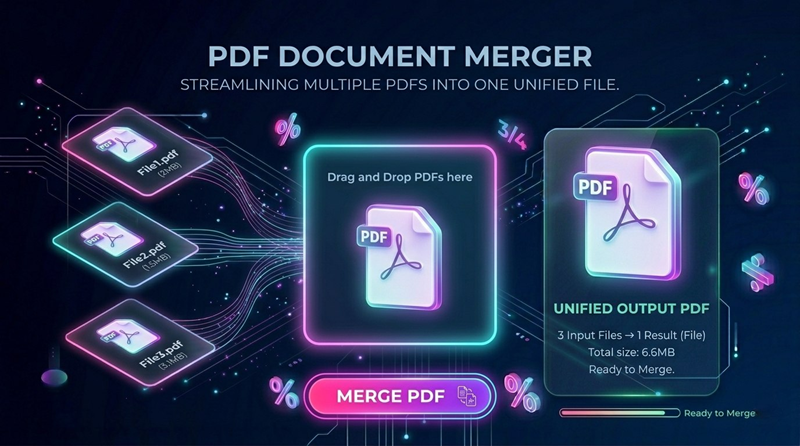
ToolsAI Pro eliminates this risk completely. Our free PDF Merger uses pdf-lib — a powerful JavaScript library — to combine your files entirely within your browser. Not a single byte of your documents is ever transmitted to any server.
When Do You Need to Merge PDF Files?
PDF merging is one of the most universally needed document operations. Here are the most common real-world situations:
For most Indian government portals the maximum file size is 2–5 MB. After merging your PDFs, use our free PDF Compressor to reduce the size before uploading.
Why ToolsAI Pro PDF Merger is Different
There are many online PDF merger tools. Here is exactly what makes ToolsAI Pro the safest and most capable choice — with verifiable technical reasons, not empty promises.
How to Merge PDF Files — Complete Step-by-Step Guide
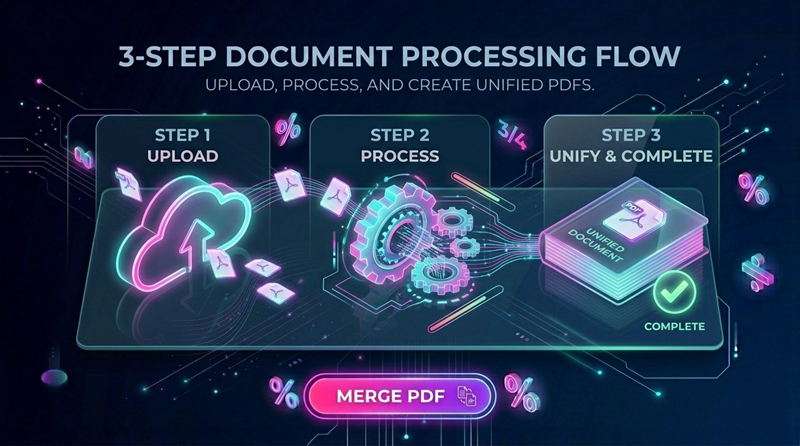
The entire process takes under 30 seconds. Here are the exact steps to merge your PDF files using ToolsAI Pro:
📤 Step 1: Upload All Your PDF Files
Go to the ToolsAI Pro PDF Merger page. The upload zone accepts multiple files simultaneously — hold Ctrl (Windows) or Cmd (Mac) while clicking to select multiple PDFs, or drag them all together directly onto the zone.
Each uploaded file appears as a card showing its filename and file size. The files are loaded entirely into your browser's local memory — verify this by watching your browser's Network tab, which shows zero outbound data after uploading.
🔢 Step 2: Arrange Files in the Right Order
The order in which files appear in the list is the order they will be merged. Drag and drop each file card to rearrange the sequence. If you uploaded files in the wrong order, simply drag them to the correct position.
For government applications: Cover page first, then ID proofs, then educational documents, then supporting certificates. For scanned forms: Check the page numbers on your physical documents before uploading. For business reports: Table of contents first, then chapters in order, then appendices last.
⬇️ Step 3: Merge and Download
Click the "Merge PDF" button. A real-time progress bar shows the merging stages. For most merges, this takes 1–5 seconds depending on total file size and your device.
Once complete, the result card shows the total page count and combined file size. Click "Download Merged PDF" to save the file directly to your device.
Does Merging PDFs Reduce Quality?
This is one of the most common concerns. The answer depends on how the tool works — and ToolsAI Pro has a significant advantage here.
| Aspect | ToolsAI Pro (pdf-lib) | Typical Server-Based Tool |
|---|---|---|
| Text Quality | ✅ Perfect — no change | Varies — may re-render |
| Image Quality | ✅ Preserved exactly | ⚠️ Often compressed |
| Fonts | ✅ Embedded fonts preserved | ⚠️ May substitute fonts |
| Watermarks Added | ✅ None — zero | ⚠️ Often added |
| Your Data Privacy | ✅ Files never leave device | ❌ Uploaded to server |
pdf-lib performs a lossless page copy — it reads each page's internal PDF objects and copies them directly into the new merged document without re-rendering anything. The output quality is identical to the input.
Why Privacy Matters When Merging PDFs
When you merge PDFs, the combined document often contains more sensitive information than any single source file. A merged application document might contain your photo ID, address proof, salary details, educational records and medical information — all in one place.
Our PDF Merger has zero server-side infrastructure. When you use the tool, your browser runs the pdf-lib JavaScript library entirely on your device's CPU. No file data — not even a single byte — is transmitted over the internet. This is verifiable by any user with basic browser developer tools knowledge.
This privacy-first architecture is why ToolsAI Pro is the recommended choice for merging documents containing Aadhar cards, PAN cards, salary slips, bank statements, medical records and legal agreements. Your most sensitive documents deserve the highest level of protection.
❓ Frequently Asked Questions
Conclusion — Merge PDFs Safely, Instantly and Free
Whether you are submitting a government application, preparing a job portfolio, combining scanned documents or creating a unified business report — merging PDFs should be simple, fast and completely private.
ToolsAI Pro's PDF Merger delivers exactly that. Your files are combined using pdf-lib running locally in your browser — zero server contact, zero data risk, zero watermarks, zero cost. The merged output is indistinguishable in quality from documents merged using premium desktop software.
Explore our complete Tools Hub for 20+ more free, private, browser-based tools — PDF splitting, compression, image conversion, QR code generation, password creation and more. All built on the same privacy-first, zero-upload architecture.