
Why Percentage Calculations Matter Every Day
Whether you are a student checking your board exam results, a shopkeeper calculating a 30% discount, a salaried professional figuring out how much of a raise you got, or a business owner computing 18% GST on an invoice — percentage calculation is the single most universally useful math skill in daily life.
Yet, despite appearing on every school syllabus, percentages still confuse many people. The root cause is simple: most people memorise procedures without understanding which formula applies to which real-world situation. This guide fixes that completely.
You will learn all three core percentage formulas, see them applied to everyday Indian situations — from exam marks and GST to salary hikes and shopping discounts — and understand how to use the ToolsAI Pro Percentage Calculator to verify any calculation instantly.
Formula 1 — Find X% of a number (discounts, GST, tips) | Formula 2 — Calculate percentage increase or decrease (salary hikes, price changes) | Formula 3 — Find what percentage X is of Y (exam marks, ratios) | Real examples including 378 out of 500, GST on ₹1000, and salary increase calculations.
What Exactly is a Percentage?
The word "percent" comes from the Latin per centum, meaning "by the hundred". A percentage is simply a way of expressing a number as a fraction of 100. When you say "20%", you mean "20 out of every 100" or equivalently "0.20" as a decimal or "1/5" as a fraction.
Understanding this core idea makes every percentage formula intuitive. You are always asking: out of every 100 parts, how many are relevant here?

The 3 Essential Percentage Formulas (With Examples)
Virtually every percentage problem you will ever encounter falls into one of three types. Learn these three and you are covered for life — in school, at work and in everyday decisions.
🎯 Formula 1 — Find What X% of a Number Is
When to use: Calculating discounts, GST amounts, commission, tips, interest, tax deductions — any situation where you need a specific portion of a total.
Real-life examples using Formula 1:
- 30% discount on ₹800: (30 ÷ 100) × 800 = ₹240 off → Final price = ₹560
- 18% GST on ₹1,000: (18 ÷ 100) × 1000 = ₹180 GST → Total = ₹1,180
- 10% tip on ₹1,500 restaurant bill: (10 ÷ 100) × 1500 = ₹150
- 5% PF deduction from ₹50,000 salary: (5 ÷ 100) × 50000 = ₹2,500
📈 Formula 2 — Percentage Increase or Decrease
When to use: Calculating salary hikes, price changes, stock movements, population growth, revenue growth — any comparison between an old value and a new value.
A positive result = percentage increase. A negative result = percentage decrease. The ToolsAI Pro calculator automatically shows green for increase and red for decrease — making it visually instant to interpret.
Real-life examples using Formula 2:
- Salary raised from ₹45,000 to ₹54,000: ((54000−45000)÷45000)×100 = 20% increase
- Petrol price fell from ₹110 to ₹99 per litre: ((99−110)÷110)×100 = −10% decrease
- Stock grew from ₹250 to ₹325: ((325−250)÷250)×100 = +30% growth
- Exam cut-off dropped from 180 to 165: ((165−180)÷180)×100 = −8.3% decrease
🔍 Formula 3 — Find What Percentage X is of Y
When to use: Converting exam marks to percentages, finding conversion rates, calculating market share, understanding ratios — any situation where you know both numbers and need to express their relationship as a percentage.
📝 How to Calculate Exam Marks as Percentage — Complete Guide
For students, this is the most important percentage calculation of all. Understanding how to convert raw marks into percentage scores is essential for comparing performance, meeting cut-off criteria and understanding your standing in competitive exams.
The formula is Formula 3: Percentage = (Marks Obtained ÷ Total Marks) × 100
On ToolsAI Pro's Percentage Calculator, open the "Find %" tab, type 378 in the Part (X) field and 500 in the Total (Y) field. The answer — 75.6% — appears instantly as you type.
Common Exam Score Conversions
| Marks Obtained | Total Marks | Percentage | Grade (Approx.) |
|---|---|---|---|
| 450 | 500 | 90.0% | Distinction |
| 378 | 500 | 75.6% | First Class |
| 320 | 500 | 64.0% | Second Class |
| 270 | 500 | 54.0% | Pass |
| 85 | 100 | 85.0% | First Class |
| 72 | 90 | 80.0% | First Class |
| 48 | 80 | 60.0% | Second Class |
| 180 | 360 | 50.0% | Pass |
🔢 How to Use the ToolsAI Pro Percentage Calculator — Step-by-Step
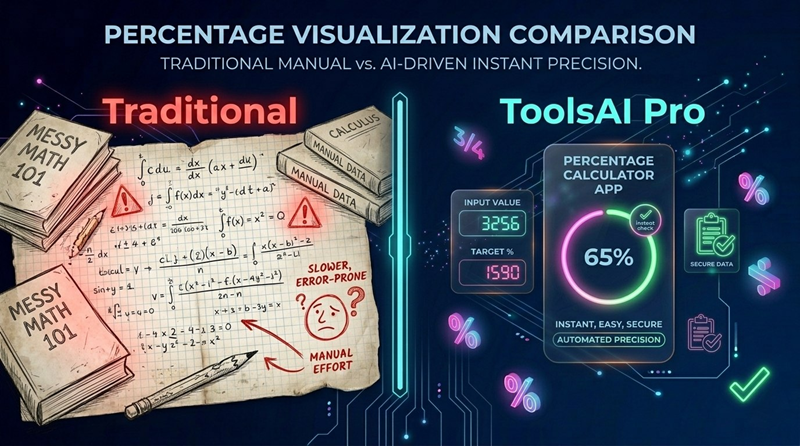
The ToolsAI Pro Percentage Calculator is a 3-in-1 tool that combines all three percentage formulas in one clean interface. Here is exactly how each of the three tabs works:

Field 1 (Percentage): 18
Field 2 (Of Number): 1000
Result: 180 → "18% of 1000 is 180"
Field 1 (Original): 45000
Field 2 (New): 54000
Result: +20% → "20% increase. Difference: +9000"
Field 1 (Part X): 378
Field 2 (Total Y): 500
Result: 75.6% → "378 is 75.6% of 500"
🛍️ Percentage in Real Life — GST, Discounts & Finance
Knowing how to calculate percentage manually is powerful — but knowing which formula applies to each real-life situation is what separates financial literacy from confusion. Here are the most common applications Indians encounter daily.
Calculating GST (Goods and Services Tax)
GST is a percentage-based tax added to the base price of goods and services. India has four main GST slabs: 5%, 12%, 18% and 28%. To find the GST amount and total price, use Formula 1.
| Base Price | GST Rate | GST Amount | Total Price |
|---|---|---|---|
| ₹1,000 | 5% | ₹50 | ₹1,050 |
| ₹1,000 | 12% | ₹120 | ₹1,120 |
| ₹1,000 | 18% | ₹180 | ₹1,180 |
| ₹1,000 | 28% | ₹280 | ₹1,280 |
| ₹5,500 | 18% | ₹990 | ₹6,490 |
ToolsAI Pro has a dedicated GST Calculator that shows CGST, SGST and IGST breakdown separately for all four slabs. For advanced GST calculations including reverse GST (removing GST from an inclusive price), use that tool instead.
Calculating Shopping Discounts
During sales seasons, stores advertise percentage discounts. Here is how to quickly calculate the actual saving and final price — using Formula 1 for the discount amount.
| Original Price | Discount | You Save | Final Price |
|---|---|---|---|
| ₹2,000 | 20% | ₹400 | ₹1,600 |
| ₹5,000 | 30% | ₹1,500 | ₹3,500 |
| ₹800 | 25% | ₹200 | ₹600 |
| ₹12,999 | 40% | ₹5,200 | ₹7,799 |
Salary Hike Calculations
When you receive an appraisal letter, understanding the actual percentage increase helps you evaluate the offer accurately. Use Formula 2.
- Current salary ₹40,000, new salary ₹46,000: ((46000−40000)÷40000)×100 = 15% hike
- CTC ₹8 LPA increased to ₹9.6 LPA: ((9.6−8)÷8)×100 = 20% increase
- Freelance rate ₹500/hr → ₹650/hr: ((650−500)÷500)×100 = 30% rate increase
❓ Frequently Asked Questions
Full calculation: Percentage = (378 ÷ 500) × 100 = 0.756 × 100 = 75.6%.
To check this on ToolsAI Pro: Open the Percentage Calculator, click the "Find %" tab, enter 378 in the Part (X) field and 500 in the Total (Y) field. The answer 75.6% appears instantly. This falls in the First Class category (70–79%) for most Indian university grading systems.
Example: If your salary increased from ₹50,000 to ₹60,000: ((60,000 − 50,000) ÷ 50,000) × 100 = (10,000 ÷ 50,000) × 100 = 20% increase.
On the ToolsAI Pro calculator, use the "% Increase / Decrease" tab. Enter 50000 as Original Value and 60000 as New Value. The result "+20%" appears with a green indicator. If the new value is lower, the result shows a negative percentage (decrease) in red.
Examples: 18% GST on ₹500 = ₹90 | On ₹1,000 = ₹180 | On ₹2,500 = ₹450 | On ₹10,000 = ₹1,800.
Total Payable = Base Price + GST Amount. On ToolsAI Pro, use the "Calculate %" tab, enter 18 as Percentage and your base amount as the number. For a full CGST/SGST/IGST breakdown, use the dedicated GST Calculator tool.
10% = Move decimal one place left (10% of 850 = 85)
5% = Half of 10% (5% of 850 = 42.5)
20% = Double of 10% (20% of 850 = 170)
25% = Divide by 4 (25% of 800 = 200)
50% = Divide by 2 (50% of 850 = 425)
1% = Move decimal two places left (1% of 850 = 8.5)
For any other percentage, combine these building blocks. For example, 18% = 10% + 5% + 3% (which is 3 × 1%).
Example: A product's price dropped from ₹1,200 to ₹900: ((900 − 1200) ÷ 1200) × 100 = (−300 ÷ 1200) × 100 = −25%, meaning a 25% decrease.
On the ToolsAI Pro calculator, the "% Increase/Decrease" tab automatically detects whether the change is an increase or decrease. The result card turns red for decrease and shows "Percentage Decrease" as the label, so there is no room for confusion.
The ToolsAI Pro Percentage Calculator is ideal for checking your answers during practice sessions. Calculate manually first, then verify instantly using the tool. The plain-English explanation with each result also helps reinforce your understanding of which formula was applied.
Conclusion — Master Percentages Once, Use Them Forever
Percentage calculations follow just three formulas, and once you understand which situation calls for which formula, you will never be confused by a percentage problem again — whether in an exam hall, at a supermarket, in a salary negotiation or on a GST invoice.
To recap: Formula 1 (X% of Y) is for portions — discounts, taxes, tips. Formula 2 (% change) is for comparisons — growth, decline, hikes. Formula 3 (what % is X of Y?) is for ratios — exam marks, conversion rates, market share.
Whenever you need instant verification, the ToolsAI Pro Percentage Calculator has all three modes in one place — real-time results, plain-English explanations, and a clean dark interface that works perfectly on any device.
Looking for more calculations? Visit the Tools Hub for 20+ free browser-based tools — from the GST Calculator and Age Calculator to BMI Calculator, PDF tools, image tools and more. All free, all private, no signup required.